
Get 'Er Dunn · for iPhone
One number for whether you used your phone the way you meant to.
Get 'Er Dunn reads Apple's Screen Time, gives you a daily scroll time allowance, prices the rest at your own hourly rate, and rolls the last 14 days into a Focus Score — eight parts you can see, tap and work on, judged against your own settings and never against other people.
Free to use. No account needed. Pro adds the long view and the finer controls — see what's in it.
Eight parts, one number.
Each part answers one question about how you used your phone, judged against your own settings and never against other people. Every tile is something you can see and work on — the lowest tile is the fastest way up.
Scroll Time
Did you stay inside the scroll time you set?
The allowance is yours — ten to sixty minutes of Negative-app time a day — and this part watches whether the day stayed inside it. It is the part most directly in your hands: change tomorrow, and it moves.
Streak
How consistent have you been, and how recently?
Consistency that survives an off day. One slip doesn't erase the work behind it, and the days you get back on track count for you — so it rewards showing up again, not perfection.
Balance
Is your phone time balanced, and inside your own target?
Whether your phone time leans toward the apps you're glad you used, and whether the whole day stayed a size you'd choose. Time in Positive apps lifts it; a day that ran long pulls it down.
Quiet Hours
Did you protect the hours you marked off-limits?
Whether the hours you set aside — a Downtime window, a Focus, your wind-down — actually held. It protects sleep and the stretches you meant to keep for something else.
Morning
How long after waking before the first Negative app?
How long the day was yours before the first pull. A morning that starts on your terms tends to stay that way, and this part notices when it does.
Movement
Did you hit your step or Move goal?
Steps and rings count on the plus side. Connect Apple Health and a day you moved lifts the score, so the number reflects what you did as well as what you didn't.
Trajectory
Better than last week, and no blow-ups?
The direction of the last two weeks, blow-ups included. Holding a good week counts as improving — it is about where you're heading, not one bad afternoon.
Pacing
Contained sittings, or sprinkled all day?
A few contained sittings versus checking all day. The same minutes cost less attention in one block than spread across every idle moment, and this part can tell the difference.
Scroll time, buckets, goals, streak.
Four things you set once. Nothing is classified for you and nothing is judged by category.
Scroll time
Ten to sixty minutes a day of Negative-app time that costs nothing. Stay inside it and the day is free. Go past it and the apps you chose lock behind a pause screen — Ask before every open, ten minutes at a time, or a hard block until tomorrow — with a reminder every few minutes while you stay over.
Scroll time71 min overof 30 · the day's price at your rateBuckets: what your time is worth
Every tracked app is Positive, Negative or Neutral. Set an hourly rate and the Today card shows the day as Spend, Time or progress on your top Goal: Positive time earned, Negative time past your scroll time cost.
Today · Spend−$18.754h 10m screen time · earned $70.00 · lost $88.75Goals, as tiles
Up to three goals run the calendar month, two across on the Dashboard, each with its progress and today's line: what going over cost it, else where it stands against the month. Apple Health goals — steps, distance, exercise minutes — and a steps tile sit beside them.
Read a book · 25%1h 11m wasted — that's 1 chapter 16 pages you gave up.Streak, as flames
One flame for every day of your run, burning around the Focus Score. The colour climbs as the run grows:
- ember to start
- green at 25
- blue at 50
- purple at 90
- gold at 100
Three ways to mark hours off-limits.
Negative minutes that land inside them count against the Quiet Hours part of your score — and the Negative bucket can be paused for the duration.
Downtime windows
Recurring windows — a focus session, meals, bedtime — where every app in your Negative bucket is blocked with no timed escape. The app suggests one when Negative time keeps landing in the same stretch.
A Focus Filter
Add Get 'Er Dunn under Settings → Focus → a Focus → Add Filter. Do Not Disturb, Work, Sleep — whichever Focus you turn on counts toward your score, and can pause Negative apps while it's on.
Start / End Quiet Hours
Two actions for the Shortcuts app, Siri and automations. Pair Start Quiet Hours with Set Focus in one shortcut and a single tap silences the phone and pauses the apps.
Real screens, sample data, both themes.
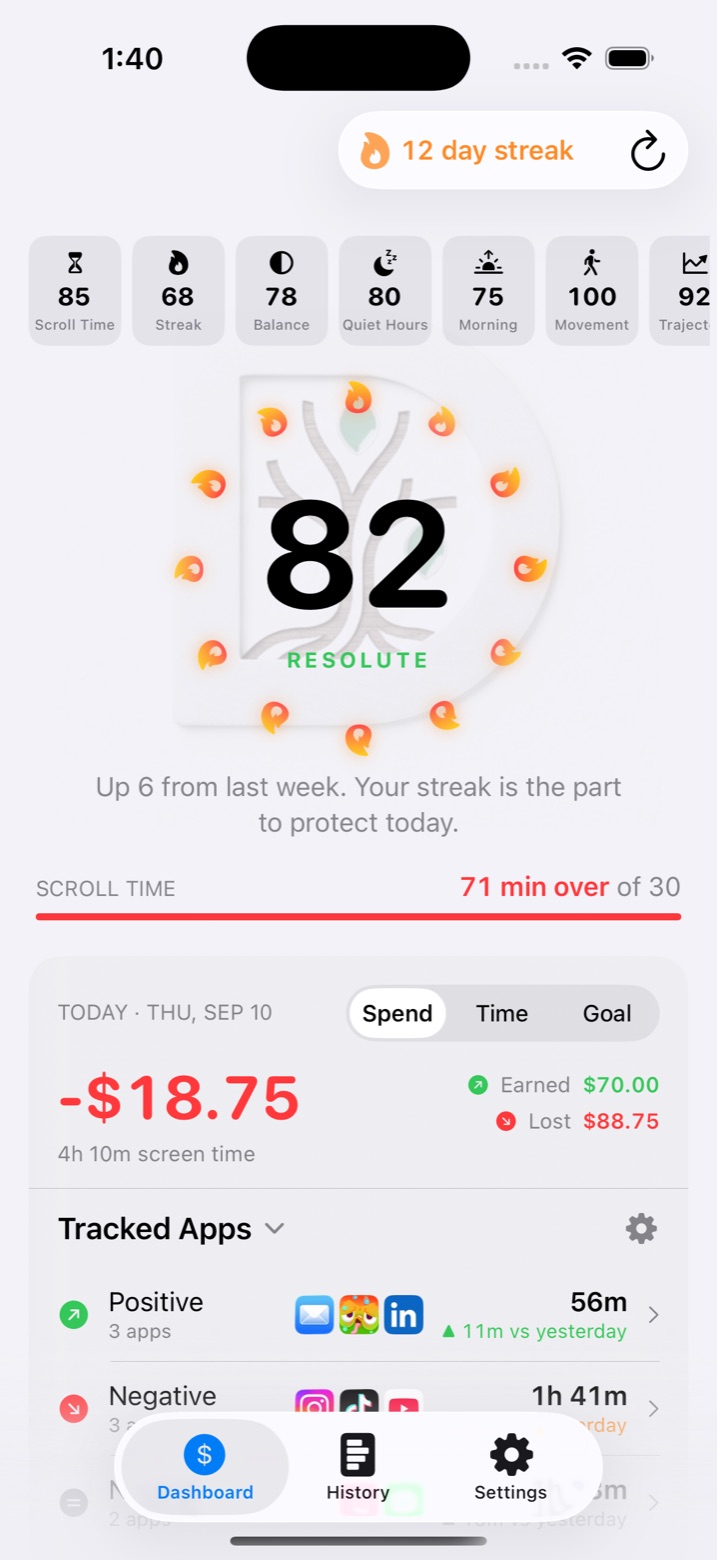
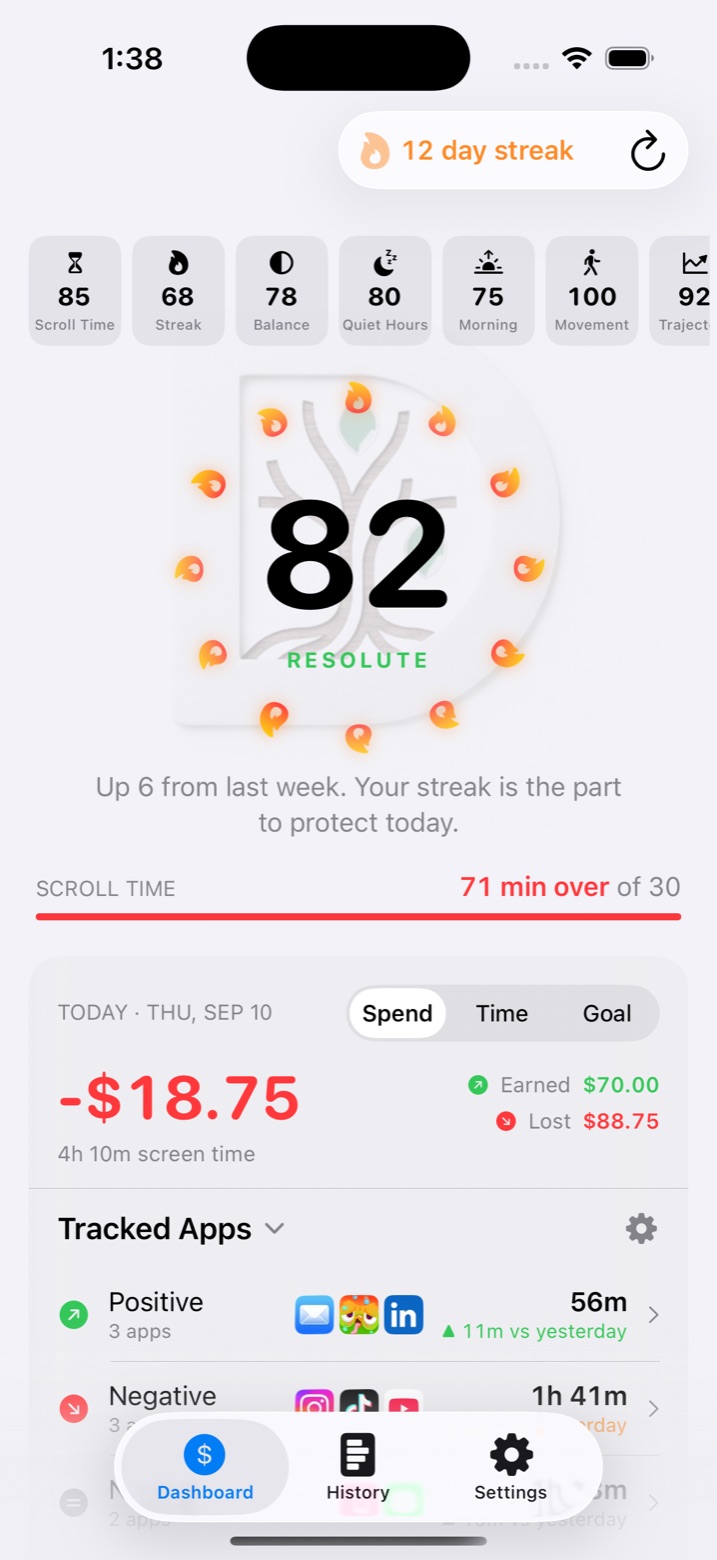
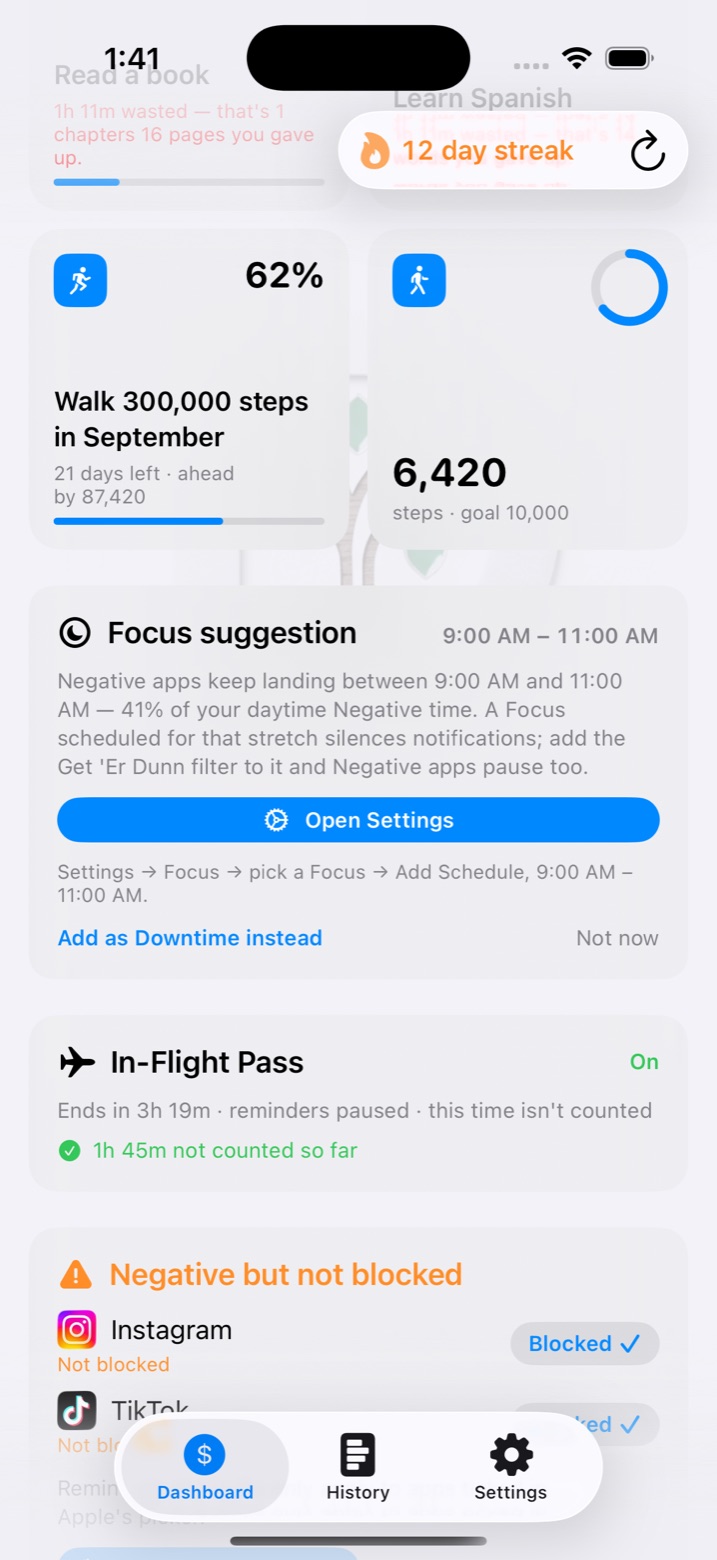
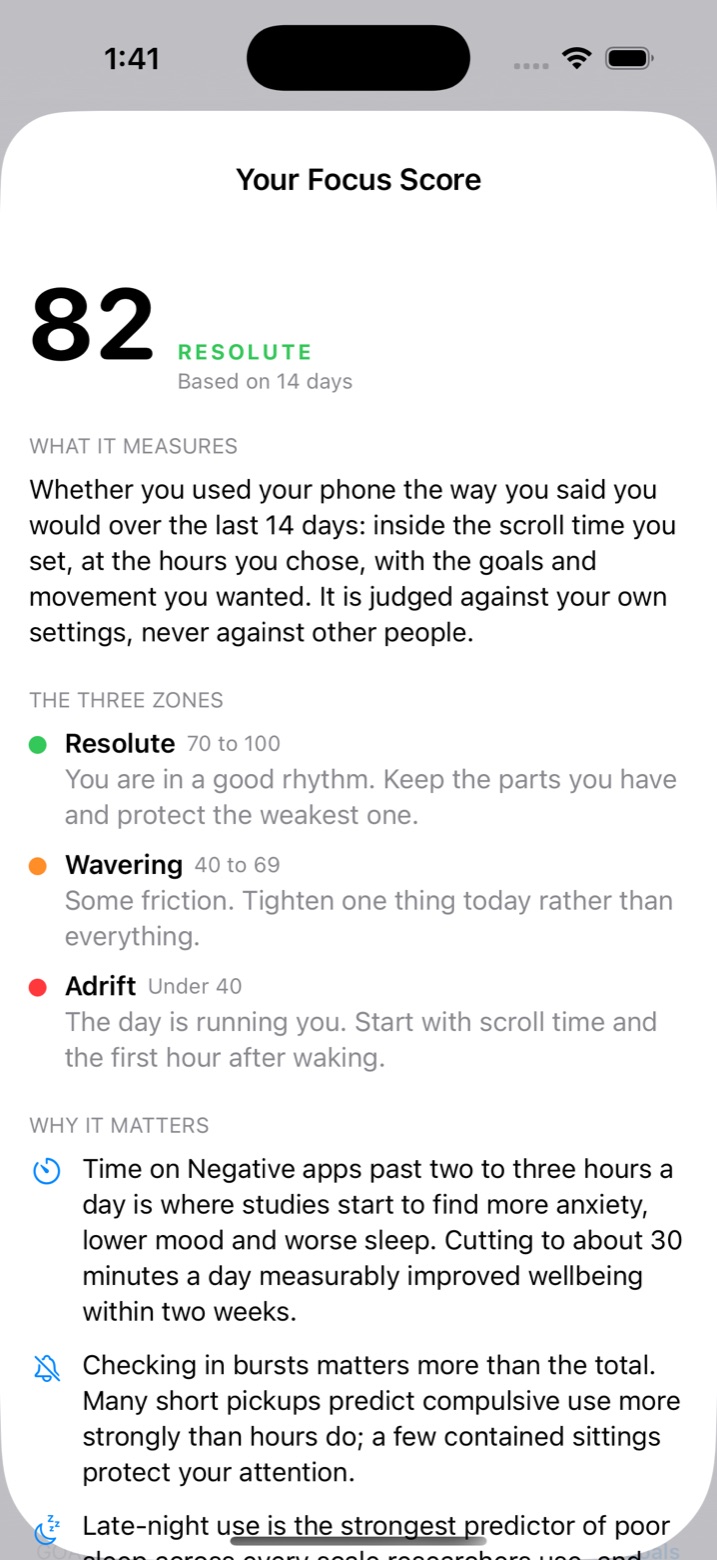
Tracking, pricing, blocking, goals, history.
Pro is a layer on top, not a paywall in front.
Real blocking, your way
Built on Apple's Screen Time, on your own device. A Negative but not blocked card catches any Negative app that isn't in Apple's block list yet, with a one-tap Blocked ✓.
Goals fed by the apps you like
Link Kindle, Audible or Duolingo to a goal and time there counts as pages, words or minutes. Each goal says whether you're ahead or behind for the month and what it needs a day.
History: Chart and Statement
A stacked daily chart — tap a day for its apps — and a plain-language Statement: your balance, averages against your scroll time, the apps you typically open, and what one change would be worth.
On your Home Screen
Widgets with today's money beside your top goal, scroll time, movement and the bucket split — and 7-day and 30-day versions with the top apps.
Sign in with Apple, optional
Without an account everything stays on your iPhone. Sign in and your history, buckets, goals, streak and settings sync to this website, outliving Apple's month-long window.
Private by construction
The app reads how long your apps were used, never what you did in them. Health is read on the phone and never uploaded. No ads, no analytics SDKs. The policy.
The long view and the finer controls.
$9.99 a month or $59.99 a year in the app; $10 / $60 on the web.
Year and All-Time history
The Week and Month views are free. Pro adds whole calendar years and All-Time — a bar per month, each one tappable — plus month-by-month browsing back through everything you've synced.
App Intentions
For apps you don't want to ban outright: set how many opens a day you intend and how long a visit should last. Each open gets a mindful pause and its own streak.
Earn Scroll Time
Hit a daily step goal, or close your Apple Watch Move ring, and bonus scroll time is credited for that day. Change the rule any time here, or once a week on the phone.
In-Flight Pass
Started at the airport with Airplane Mode on: no lock, no reminders, and the time isn't counted against your scroll time or streak. Up to 16 hours, two passes a month.
| Feature | Free | Pro |
|---|---|---|
| Tracking & the score | ||
| Focus Score with all eight parts | ✓ | ✓ |
| Three buckets, hourly rate, today's spend | ✓ | ✓ |
| Scroll time, pause screen, blocking, reminders | ✓ | ✓ |
| Streak flames, Quiet Hours, Downtime, Focus Filter | ✓ | ✓ |
| Home Screen widgets | ✓ | ✓ |
| Goals | ||
| Monthly goals with pace lines, linked apps | ✓ | ✓ |
| Apple Health goals (steps, distance, exercise minutes) | ✓ | ✓ |
| Earn Scroll Time by moving | — | Pro |
| History | ||
| Week and Month: Chart and Statement | ✓ | ✓ |
| Year and All-Time, month-by-month browsing | — | Pro |
| Sync to this website with Sign in with Apple | ✓ | ✓ |
| Controls | ||
| App Intentions (per-app open limits and streaks) | — | Pro |
| In-Flight Pass | — | Pro |
See Pro pricing Buy in the app, or here with a card. One account, one Pro.
Questions
Does it need an account?
What is the Focus Score, exactly?
Whether you used your phone the way you said you would over the last 14 days: inside the scroll time you set, at the hours you chose, with the goals and movement you wanted. Eight parts — Scroll Time, Streak, Balance, Quiet Hours, Morning, Movement, Trajectory and Pacing — each one something you can see and work on. It is a habit signal, not a medical measure.
How does blocking work?
Through Apple's Screen Time (Family Controls), on your own device. You pick the apps in Apple's picker. With Ask before every open, each open shows the pause screen and grants ten minutes; over your scroll time, opening costs a streak confirmation and reminders keep coming. It is a nudge with teeth, not a jail — you configured it and you can switch it off.
What does Pro add?
Year and All-Time history with month-by-month browsing, App Intentions, Earn Scroll Time by moving, and the In-Flight Pass. $9.99/month or $59.99/year in the app; $10 / $60 on the web. Everything else — the score included — is free.
What about my Health data?
Health goals, the Movement part of the score and Earn Scroll Time read steps, walking/running distance, exercise minutes and Activity rings on the device only. The raw data is never uploaded; a goal's running total syncs to your account with your other goals if you're signed in. You can revoke access in the Health app at any time.
Where do the dollar figures come from?
From you. You set an hourly rate; Positive time earns at it and Negative time past your scroll time costs at it. The figures are a motivational conversion of your own rate, not financial records.
Use your phone the way you meant to.
Free on iPhone. Sign in here to keep your history and set the rules you can't change in the moment.